 Profile Manager
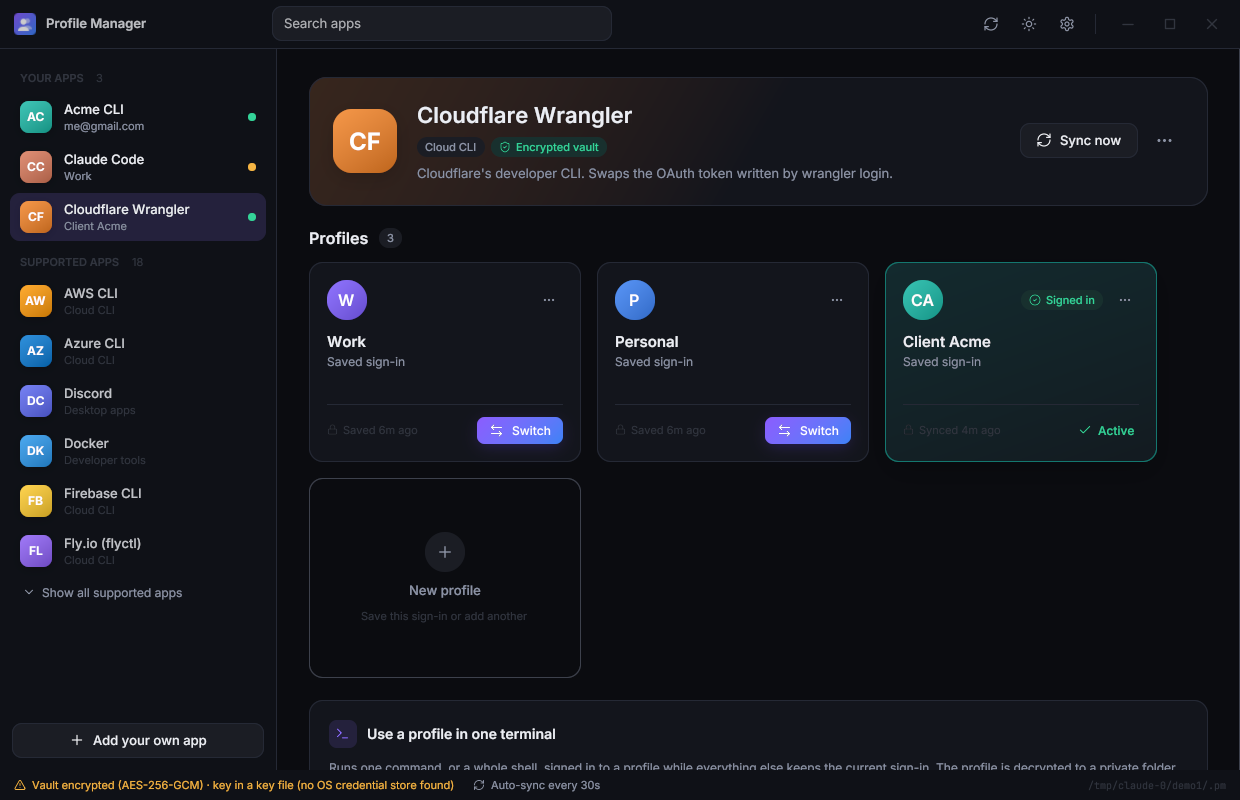
CA● Signed in
Client Acme
ops@acme.example
Synced just nowSaved sign-in
Keep a work and a personal Cloudflare login, two Claude Code accounts, separate AWS or Slack setups. Each is a profile, and switching takes one click from the window or the tray. No signing out and back in.
Every program keeps its sign-in somewhere on disk or in the OS keychain. An app definition says where, and Profile Manager picks the right strategy for it.
Captures the files, folders, JSON keys and keychain entries that hold the sign-in into an encrypted snapshot, and restores another profile's snapshot in their place.
For programs that already support several accounts, it calls their own profile commands.
Decrypts a profile into a private temporary folder, points the program at it, saves changes when it exits and wipes the folder. Two accounts in two terminals at once.
# the same binary is a command-line tool
$ profilemanager add wrangler Work            # save the current sign-in
$ profilemanager switch wrangler Personal     # --quit closes a running app first
$ profilemanager exec wrangler Work -- wrangler deploy
$ profilemanager shell claude-code Work       # a shell signed in to Work
Cloud CLIs, AI tools, developer tools and desktop apps. Anything else: describe where it keeps its sign-in with the form, or import a JSON definition.
~/.npmrc → dotfiles/npmrc are written through, not replaced.Each snapshot is bound to its app and profile, so a file swapped or edited on disk fails authentication. The random 256-bit master key never sits next to the vault: it lives in your OS credential store.
Free and open source. Every release is built in GitHub Actions from the tagged source.
Profile Manager has no accounts, no analytics, no ads and no crash reporting. It makes no network connections of its own and sends nothing to its developer or anyone else.
ProfileManager in your user config folder, or PROFILE_MANAGER_HOME if you set it. A rollback copy of the sign-in from just before the last switch is kept there too, sealed the same way.vault.key file in the data folder when there is no credential store.state.json): profile names, which profile is active, and fingerprints of files. No passwords or tokens.gh auth switch or kubectl config use-context) for apps switched natively, and the commands you run with profilemanager exec or shell. Those programs talk to their own services as they always do; Profile Manager doesn't see or forward that traffic.Nothing. The only time it opens anything online is when you click a link, such as an app's documentation, which opens in your browser.
Deleting a profile in the window removes its snapshot. Deleting the data folder removes everything the app saved; uninstalling the app alone leaves it in place (except the Microsoft Store version, which Windows removes with the app). The master key can then be removed from your credential store, where it is the entry for com.xmhrnx.profilemanager.
This page is hosted on GitHub Pages, which may log visitors' IP addresses (see GitHub's privacy statement), and loads its fonts from Google Fonts. It uses no cookies, analytics or trackers.
Questions or concerns: open an issue at github.com/xmhrnx/ProfileManager/issues. Changes to this policy are made in the open, in the project's repository.
Last updated 19 November 2026